Popular Activities for Your Destination, One Click to Add Them
Planning a group trip and stuck on the "okay but what do we actually do there?" part? Bonder just shipped a bunch of updates that help you figure out what to do on your trip—not just where to put things once you've already decided.
🎯 Popular Activities, Right Where You Need Them
You know that moment where you're staring at an empty itinerary thinking "okay but… what do we actually do here?" Yeah, that's over now.
Open up your timeline and you'll see a sidebar packed with popular activities for your destination. See something you like? One click and it's on your itinerary. Done.
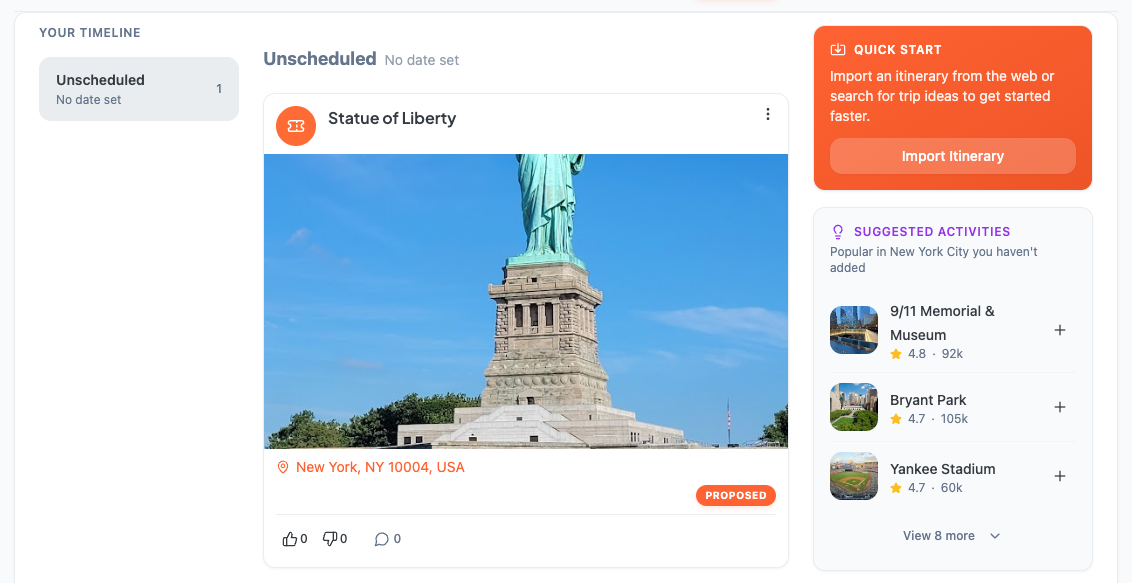
Why it's awesome:
- ✓ No more tab-switching to research
- ✓ Real inspiration when you're drawing a blank
- ✓ Actually speeds up the planning part
✨ Unlock Your Trip, Get a Head Start
After you unlock a trip, Bonder now drops suggested itineraries straight into your trip feed and inbox the next day—fully formed trip plans you can riff on instead of starting from zero.
Grab the URL, import it into your trip, and you've got a solid starting point in about 30 seconds.
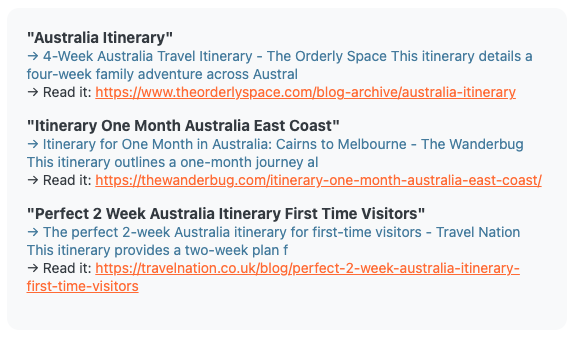
Why it's awesome: Your blank itinerary now comes pre-loaded with ideas. Less "where do we even begin," more "okay let's tweak this."
📍 Better Location Setup
When you're creating or editing a trip, there's now a proper location picker baked in. This is what powers the suggestions features above—so the more specific you are about where you're going, the smarter Bonder gets about what to suggest.
🔗 Import Just Got Smarter
Two things got better here: When you import a trip from a URL, that link now gets posted to your live feed automatically—so everyone can reference the original source without hunting for it later.
We also fixed a sneaky scrolling bug that made it hard to review long imports. You can now scroll all the way through without things getting stuck.
🐛 Fixes and Improvements
A few things that were quietly annoying are now quietly fixed:
- Location links for Google Places now open the actual place on Google Maps—with reviews, ratings, photos, and website info—instead of just dropping a pin on coordinates. Way more useful.
- Trip expense totals in the trip overview section now correctly reflect your split amount—not the full bill. Your share is your share.
- Filter bars on desktop can now be scrolled with a mouse—before, you could only swipe through them on touch screens.
- Filter counts now show up below the filter bar on your trips dashboard so you always know what you're looking at.
The suggestions feature is genuinely one of our favorites so far—we think it's going to change how quickly groups go from "we should take a trip" to "okay here's the plan." Try Bonder free →
Planning a group trip?
Try Bonder free — the easiest way to plan trips with friends.
Try Bonder free →