Multi-City Trips, a Draggable Timeline, and Weather on Your Itinerary
August's biggest update is about giving multi-city trips real structure. Your itinerary could already span multiple places, but there was no dedicated way to see the actual shape of the trip — the different stops your group is making. Now there is. Here's everything that shipped.
🗺️ Real destinations, planned in nights
You can now add real destinations to a trip — Kyoto, then Osaka, then Tokyo — each one measured in nights. Once you've added your stops, the rest of the app follows them:
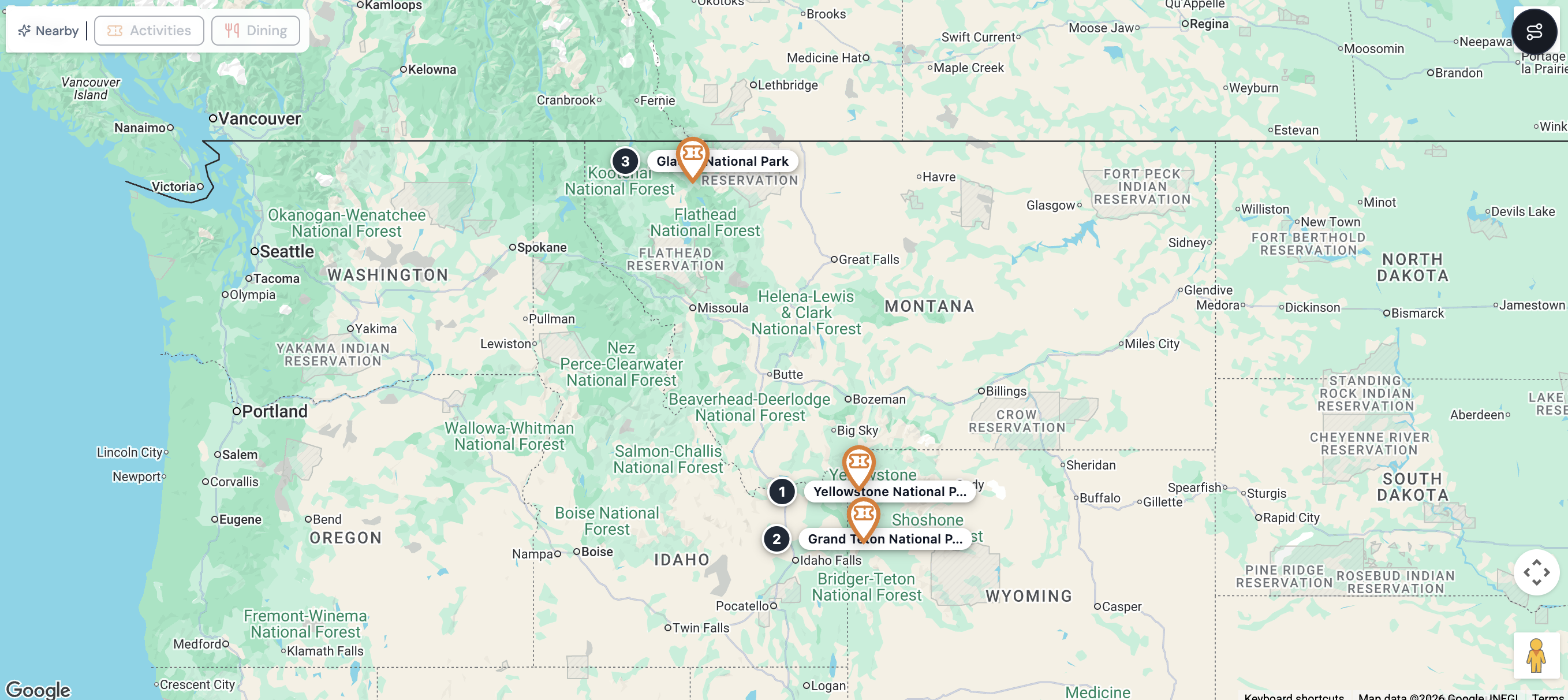
- ✓ The map shows a numbered pin for every destination — tap one for its dates and a jump straight to that stretch of the itinerary
- ✓ Each destination gets its own card on your trip's Overview — a photo, its night count, what's booked there, and how much is planned
- ✓ Transport between stops gets its own slot — pick a mode (car, train, flight, whatever) and Bonder estimates the drive/train duration for you, or you type in your own
- ✓ Add, reorder, or delete a destination directly from Overview
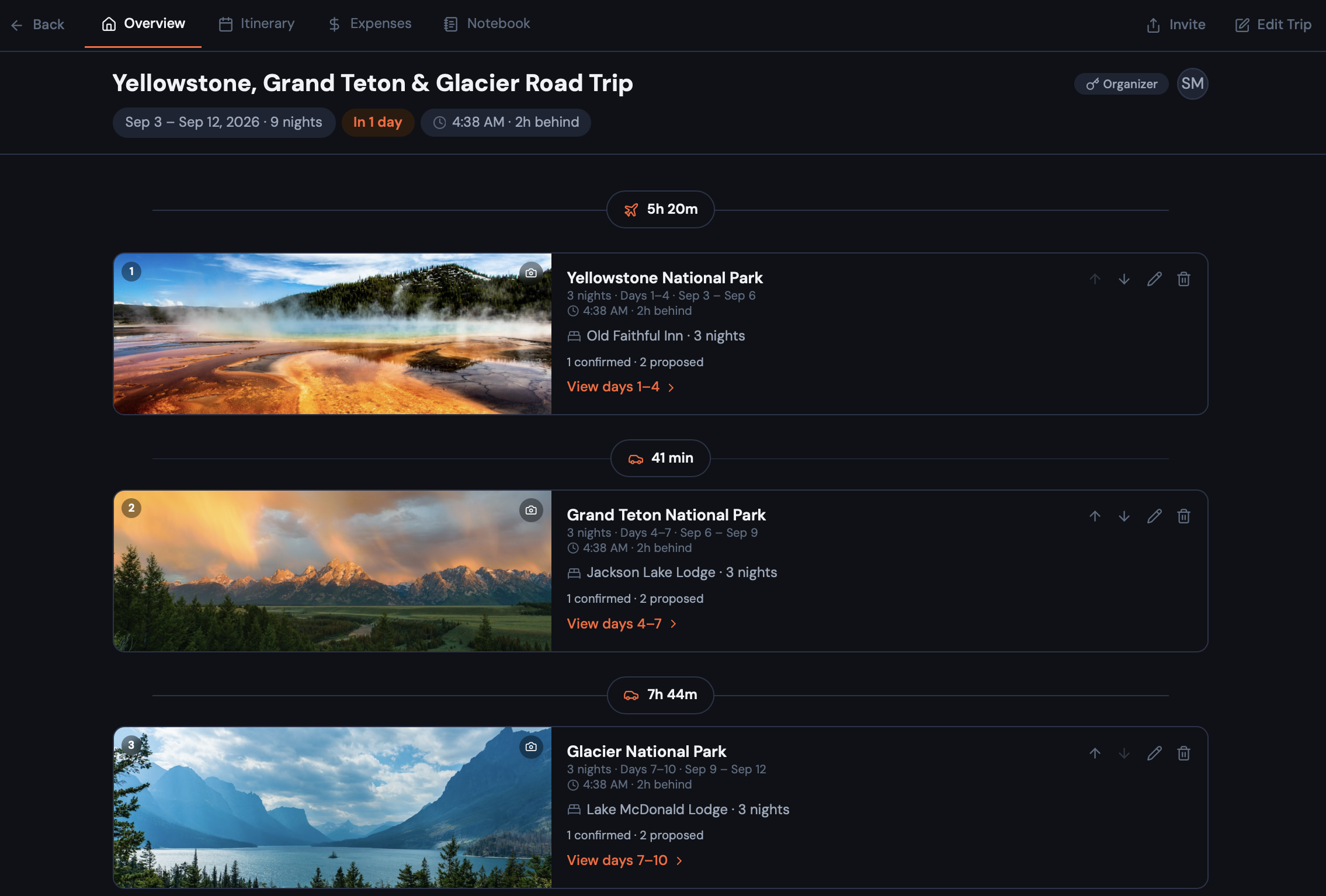
Every destination also gets its own real photo — pick one yourself, or let Bonder find one. And creating a new trip now has an optional step for adding your stops right up front, so you land on a trip that already looks like your actual plan.
🕐 A Timeline you can actually rearrange, with weather on it
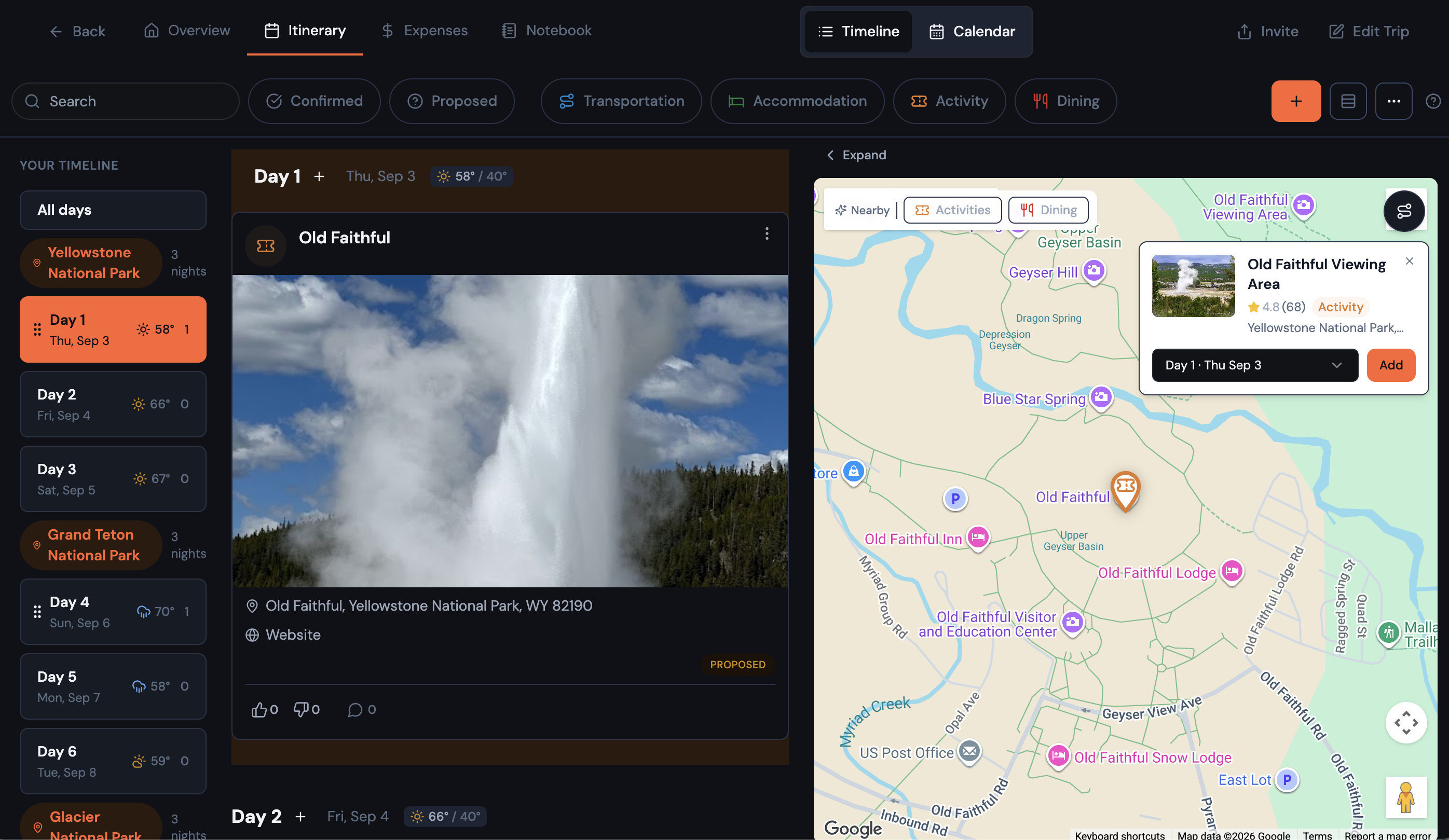
The Timeline view got the update it's needed for a while. You can now drag things around — pick up a card and drop it on a different day, or grab a whole day and move it earlier or later in the trip ("let's do the museum day first"). It works the same way the Calendar grid already did; now Timeline, the default view, has it too.
A few things that shipped alongside it:
- ✓ A compact card toggle — flip to a smaller card style so a full trip fits without endless scrolling
- ✓ Adding an item now starts by searching for the place, not typing its name — pick a result and the address, map pin, and photo fill themselves in
- ✓ Trips within 10 days of departure now show a live weather forecast right on the Timeline — a little icon and the day's high/low, so you know to pack a jacket without leaving the app
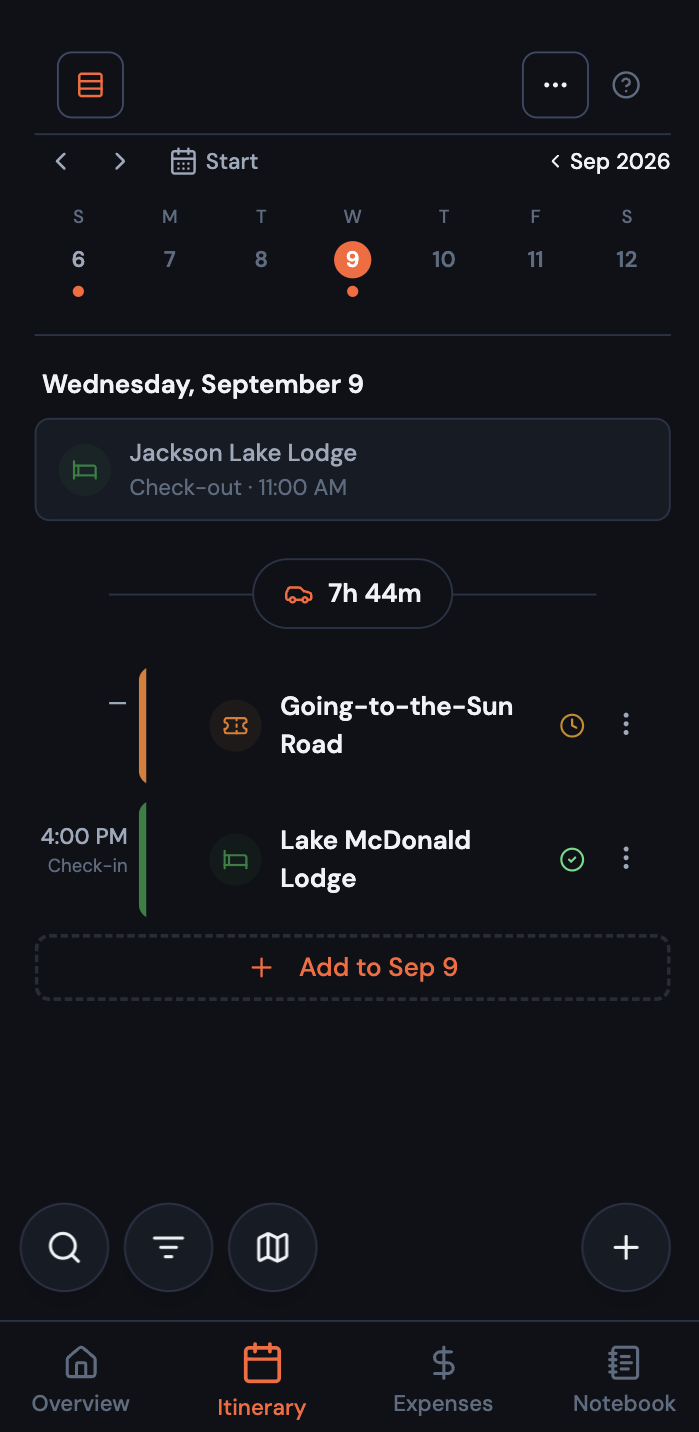
And on mobile, Calendar is now the itinerary's home base — it picked up everything Timeline could do (recovering items scheduled outside your trip dates, a card density toggle, jumping straight to a day from Overview) and gained real month-to-week zoom, so you can see the whole trip at a glance and tap into a week's detail when you need it.
💸 Small things, real convenience
- Export your expenses. A new button on the Expenses tab downloads everything as a spreadsheet — opens right up in Excel, Numbers, or Google Sheets — for splitting checks or just keeping your own books.
- Tap anything on the map to add it. Any place Google shows on the itinerary map — not just Bonder's own suggestions — now opens a card with its photo and rating, and one tap adds it to whichever day you pick.
- A distance tool on the mobile map, matching what desktop already had — tap two places to see how far apart they are and how long it'll take to get between them.
- See what time it is where you're going. Your trip now shows a live clock for the destination's timezone, so you're not doing math in your head before a call with a hotel.
- Co-planners can now update the trip dates, not just the organizer — so the group isn't stuck waiting on one person to lock in "when is this actually happening."
🐛 Fixes and Polish
A handful of fixes landed too:
- Itinerary items imported from a blog post now get matched to the actual business — a restaurant or hotel, with its real photo and pin — instead of landing on the building's bare street address.
- If your trip's dates change and something ends up outside the new range, it now shows up in a clearly-labeled group with a one-tap way to reschedule it, instead of silently disappearing.
- The floating buttons around the app (add, filter, search) now actually stand out from the background in both light and dark mode.
- The in-app help popovers for itinerary views and member roles are updated to match how things actually work today.
- Trip cards on your dashboard now let you invite someone with one tap; deleting a trip only happens from its own settings, so there's one clear way to do it instead of two.
- Fixed a spacing bug that had Timeline cards touching each other with no gap on desktop.
- Notebook's mobile buttons now match the floating add/filter/search buttons used everywhere else in the app.
- Fixed a pile-up where several "here's how this works" tips could show on screen at once — now only the most relevant one shows at a time.
That's August. Go plan something with more than one stop → Try Bonder free
Your next trip starts as an idea.
Save it in Bonder, then plan it day by day when you're ready. Free to start.
Try Bonder free →